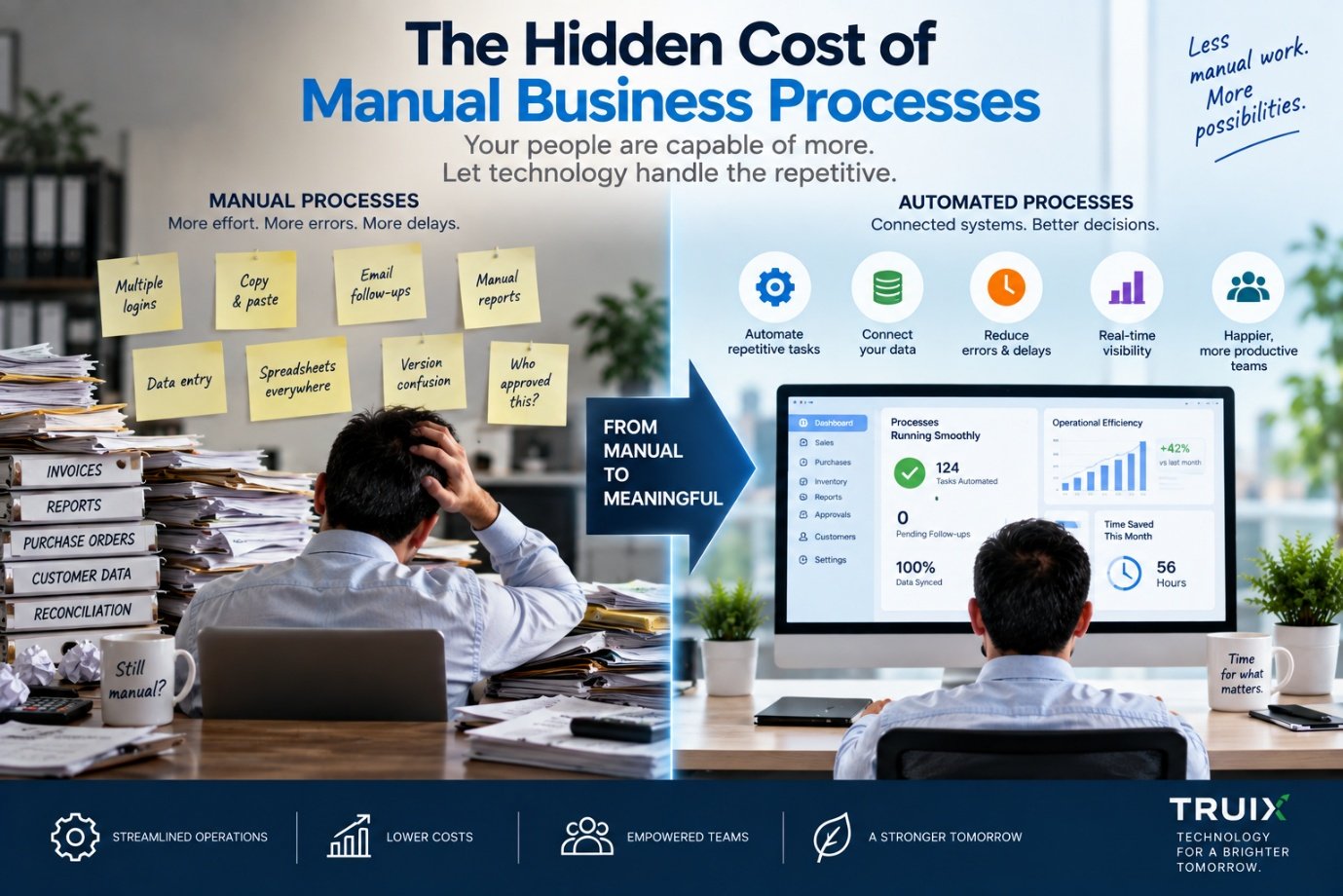
Your employees may be doing work that software could be doing for them. The real cost is often much higher than you think.
Every business has them.
- A spreadsheet that someone updates every morning.
- An email that gets forwarded from one department to another.
- A report that takes two hours to prepare every week.
- A manager who checks three different systems before making one decision.
- An employee who copies information from one application into another.
- A WhatsApp message asking whether something has been completed.
- A document that needs to be downloaded, renamed, edited, uploaded and emailed again.
None of these tasks seems particularly expensive on its own. But together, they can become one of the biggest hidden costs in a growing business.
The problem isn't simply that these processes are manual. The bigger problem is that manual processes create friction, consume attention, introduce errors and prevent information from flowing efficiently through the organisation.
And in many businesses, that friction remains invisible because it has become part of "the way things are done."
Manual Doesn't Always Mean Bad
It is important to make one distinction. Not every manual process needs to be automated. Some activities require human judgement. Some decisions depend on experience, relationships or context. Some processes happen so infrequently that automating them would cost more than simply doing them manually.
The objective should therefore not be:
"Automate everything."
It should be:
"Identify the work where technology can remove unnecessary effort and improve the outcome."
That requires understanding the process first.
What Is a Manual Business Process?
A manual business process is any workflow where people are required to repeatedly perform steps that could potentially be handled, connected or assisted by technology.
Consider a simple purchasing process. A department needs something. An employee sends an email. A manager approves it. Someone enters the information into a spreadsheet. The purchase order is created in another system. The supplier sends an invoice. Accounts receives it separately. Someone checks the invoice against the purchase order. Another person updates the records. A report is prepared later.
Every individual step may appear reasonable. But the overall process may involve:
The business has software. It has computers. It has data. Yet the process is still largely manual. That is where the hidden cost begins.
The Employee Becomes the Integration Layer
One of the clearest signs of a poorly connected technology environment is when employees are constantly moving information between systems. Imagine an employee who needs to:
- Open System A
- Copy customer information
- Open System B
- Paste the information
- Download a report
- Modify it in Excel
- Email it to another department
- Wait for a response
- Update System A again
The employee is effectively acting as the API between the systems. That is not a good use of human time. People should generally be making decisions, solving problems, communicating with customers and applying expertise. They should not spend large portions of their day transferring information from one screen to another.
The Cost of Manual Work Is Bigger Than Labour
When businesses calculate the cost of a manual process, they often consider only employee hours. But there are several layers of cost.
The Spreadsheet Isn't Always the Problem
Spreadsheets are often blamed for inefficient processes. But spreadsheets are incredibly useful tools. The real problem is usually how they are being used. A spreadsheet can be perfectly appropriate for:
The problem begins when a spreadsheet becomes the unofficial database for a critical business process. For example:
At that point, the question shouldn't necessarily be "How do we replace Excel?" It should be "Why does this process require someone to do this every morning?" That is a very different question.
Start With the Process, Not the Software
This is one of the most important principles in business technology — the same idea we explored in Digital Transformation Isn't About Buying More Software. When a company wants to improve a process, the first instinct is often to look for software. But software should come later. First, understand the process. Ask:
- What is supposed to happen?
- Who is involved?
- What information is required?
- Where does that information come from?
- Where does it go?
- Which steps require human judgement?
- Which steps are repetitive?
- Where do errors occur?
- Where do delays occur?
- Which systems are involved?
Only then should technology enter the conversation.
Map the Information Flow
A useful way to analyse a business process is to map its information flow. For example:
In a disconnected business, each arrow may involve a person. In a connected system, much of the information can flow automatically. The salesperson shouldn't necessarily have to enter the same customer information five times. The finance team shouldn't have to wait for an email to know that an order has been confirmed. The inventory system shouldn't need a phone call to find out that something has been sold.
The goal is not simply automation. It is information continuity.
Automation Works Best When the Process Is Clear
Automation is powerful. But automating a bad process doesn't necessarily create a good process. It can simply make the wrong process happen faster.
For example, imagine a company where three managers approve the same purchase because nobody is sure who is actually responsible. Building an automated approval workflow around those three approvals may make the process faster. But it doesn't solve the underlying problem.
A better approach might be to first redesign the process: Who actually needs to approve this? Under what conditions? What information do they need? When should the approval happen? Then automate the improved process.
Not Every Process Needs Custom Software
There is another common misconception. When businesses identify manual work, they sometimes assume they need an entirely new application. Not necessarily. There are several possible approaches — a decision we unpack in more depth in Custom Software vs Off-the-Shelf Software.
This is why technology decisions should follow the business problem rather than being driven by a particular product.
Where AI Fits In
Artificial intelligence introduces another layer of opportunity. Traditional automation works particularly well when the rules are predictable — for example, if an order is approved, create the purchase order; if payment is received, update the account; if inventory falls below the threshold, generate an alert.
AI can help when the process involves more complex information, such as:
But AI should not be added simply because it is fashionable. The better question is: where does intelligence improve the process? Sometimes the answer is AI. Sometimes it is ordinary automation. Sometimes it is better software. Sometimes it is simply a better-designed workflow.
The Recipe Example
The food industry provides a particularly good example of how manual processes can multiply. Imagine a hotel maintaining its recipes in documents or spreadsheets. A chef changes an ingredient. Someone needs to update the recipe. Another person recalculates the nutritional information. Someone else checks allergens. The costing team updates the cost. The sustainability team recalculates the carbon footprint. The menu team updates its records.
Multiple people may be working from different versions of the same information. The problem isn't that these people are doing their jobs incorrectly. The problem is that the underlying information isn't connected.
A structured recipe system can provide a different approach, as we explored in What Happens When Recipes Become Data? One recipe becomes the source data. From that data, different analytical outputs can be generated:
A single change can then trigger the relevant downstream analysis. This is what happens when technology is designed around the system, rather than around individual tasks.
CCTV Provides Another Example
The same principle applies outside software. Consider a modern CCTV environment, of the kind we described in Modern CCTV Is More Than a Security Camera. A camera records video. But what happens after that? The video needs to travel through a network. It needs to be stored. Someone may need to monitor it. Analytics may identify an event. An alert may need to reach a manager. Footage may need to be retrieved later. Access needs to be controlled. The system may need to work across multiple locations.
The camera itself is only one part of the process. This is why CCTV should increasingly be considered as part of a broader technology ecosystem involving:
Again, the objective is not simply to buy a better camera. It is to build a better system.
Manual Processes Become More Expensive as Businesses Grow
A process that works for five employees may fail at fifty. A spreadsheet that works for one location may become difficult to manage across ten. A manually maintained report may be manageable when there are 100 transactions but become a major administrative burden at 10,000.
This is why businesses often experience a sudden technology problem during periods of growth. The technology did not necessarily become worse. The business outgrew the process. Growth increases, among other things:
Manual processes tend to become increasingly difficult to maintain as these variables increase — which is also why the underlying network and infrastructure matter, a subject we cover in How to Build a Reliable IT Network for a Growing Business.
How to Find Processes Worth Automating
Businesses don't need to automate everything at once. A practical starting point is to identify processes that are:
These processes are often strong candidates for improvement.
A Simple Automation Audit
Before investing in new technology, businesses can conduct a simple internal audit. For every recurring process, ask:
- How often does it happen?
- How many people are involved?
- How much time does it take?
- How many systems are involved?
- How much data is manually entered?
- Where do errors occur?
- Where do delays occur?
- Does someone have to follow up manually?
- What happens when the responsible employee is unavailable?
- What would happen if the process volume doubled?
The answers can reveal surprisingly expensive processes hiding inside everyday operations.
The Goal Isn't Fewer Employees
Automation discussions sometimes create unnecessary anxiety. The objective of good automation should not simply be to eliminate people. It should be to eliminate unnecessary work.
Imagine an employee who spends two hours every day preparing and reconciling reports. If technology reduces that task to 15 minutes, the employee hasn't necessarily become less valuable. They now have more time for:
The best automation gives people more time to do work that actually requires people.
From Manual Processes to Business Systems
The progression often looks like this:
Not every business needs to reach the final stage for every process. But understanding this progression is useful. Digitising a process is not the same as transforming it. Putting a paper form into a PDF doesn't necessarily improve the underlying workflow. Putting a manual spreadsheet into a cloud drive doesn't automatically create a connected system.
True improvement comes when technology changes how information moves and how work gets done.
Technology Should Remove Friction, Not Add It
Businesses sometimes adopt new technology only to create another layer of complexity. A new application gets introduced. Employees now have another login. Another database is created. Another report needs to be maintained. Another subscription has to be paid. Another system needs training. The original problem may still exist.
This is why technology decisions should always return to the business objective:
- What problem are we solving?
- What process are we improving?
- What information needs to move?
- What outcome do we want?
If those questions aren't clear, buying technology may simply add another layer to the problem.
The TRUIX Perspective
At TRUIX, we believe technology should begin with the way a business actually works. Sometimes the answer is better software. Sometimes it is integration. Sometimes it is automation. Sometimes it is custom development. Sometimes it is better hardware or networking infrastructure. And increasingly, sometimes AI has a role to play.
But the technology itself is not the objective. The objective is a better business process — the same connected-systems philosophy behind Why Businesses Should Stop Buying Software and Start Building Systems.
A business should not need employees to constantly connect systems manually. It should not need five spreadsheets to compensate for disconnected applications. It should not need people to repeatedly enter information that already exists somewhere else. And it should not automate a process simply because automation is available.
The right approach is to understand the business, map the process, understand the data, identify the friction and then select the technology that actually improves the outcome.
It is the technology that makes the business work better.
Related Reading
- The AI Journey: What Businesses Should Automate First
- APIs: The Missing Link Between Your Business Applications
- When Your Business Has Outgrown Excel
- AI Video Surveillance: What Modern CCTV Can Actually See
- 5 Common Networking Mistakes Growing Businesses Make
- Why Businesses Should Stop Buying Software and Start Building Systems
- Custom Software vs Off-the-Shelf Software
- Digital Transformation Isn't About Buying More Software
- How to Build a Reliable IT Network for a Growing Business
- What Happens When Recipes Become Data?
- Modern CCTV Is More Than a Security Camera