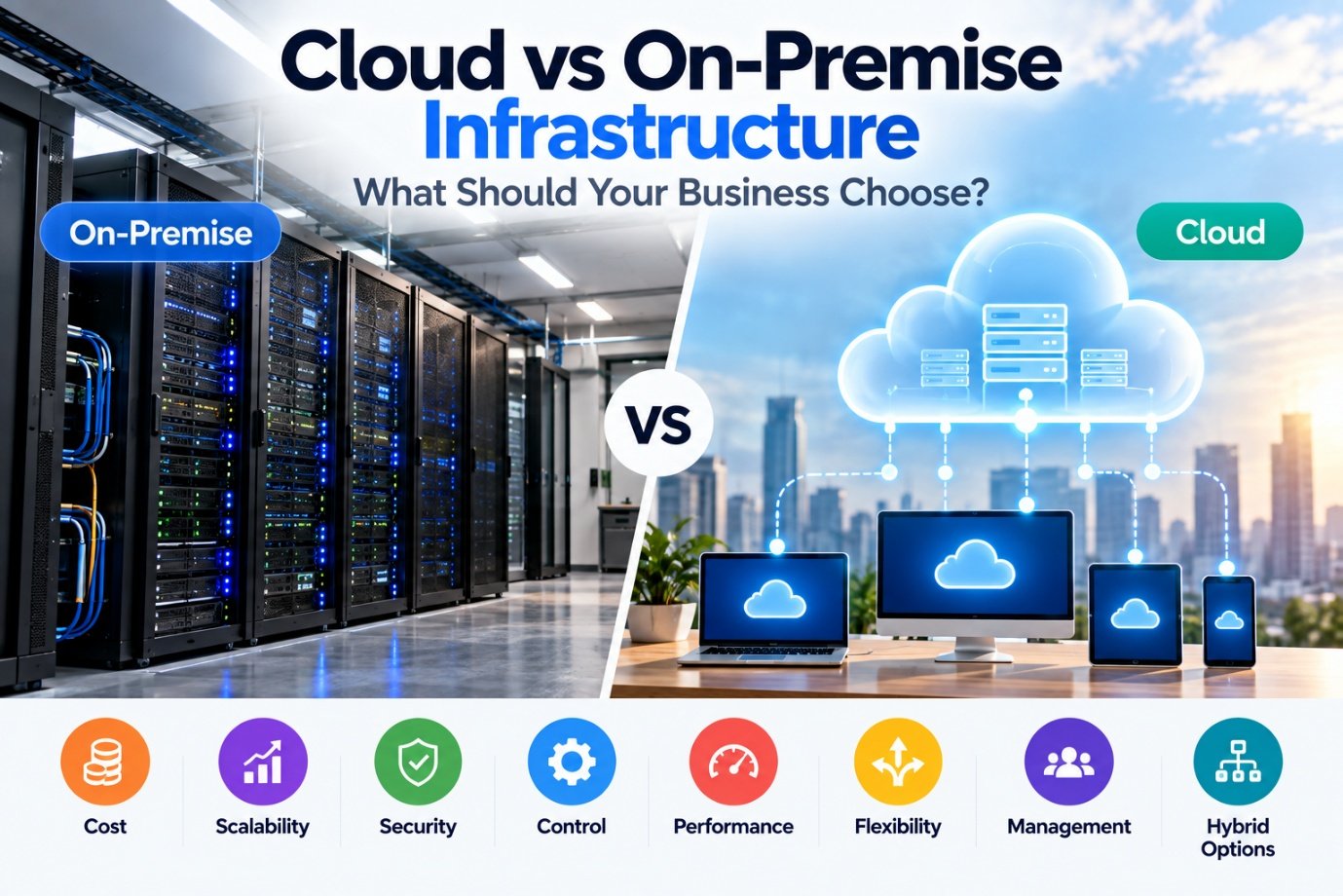
For years, businesses have asked a seemingly simple question: should we move to the cloud, or keep our infrastructure on-premise?
The answer is rarely as simple as "cloud is better."
Cloud computing has changed how businesses buy and use technology. Instead of purchasing physical servers and maintaining them internally, businesses can access computing, storage, databases and other services from cloud providers. On-premise infrastructure takes the opposite approach: the business owns and operates the physical infrastructure itself.
Both models have advantages. Both have disadvantages. And for many businesses, the best answer may actually be a combination of both.
The right question isn't "Is cloud better than on-premise?"
It's which infrastructure model is right for this particular workload and business.
What Does On-Premise Mean?
On-premise infrastructure means the business operates its technology systems on hardware that it owns or directly controls. This may include:
The equipment may be located in a dedicated data centre, server room or even a properly designed equipment area within the business premises. The business is responsible for managing the infrastructure, including hardware maintenance, upgrades, security, backups and capacity planning. This provides a high degree of control, but it also creates operational responsibility.
What Does Cloud Infrastructure Mean?
Cloud infrastructure moves much of the underlying physical infrastructure to a cloud provider. Instead of buying and maintaining physical servers, a business can access services such as:
Cloud providers manage the underlying physical infrastructure, while the customer remains responsible for the parts of the environment covered by the specific service model. Cloud infrastructure can therefore reduce the need for businesses to operate physical servers themselves and can make it easier to provision resources as requirements change.
Cloud Is Not the Same as "No Infrastructure"
This is an important misconception. Moving to the cloud doesn't mean infrastructure disappears. It changes where the infrastructure is located and who manages different layers of it. A cloud application still depends on:
The difference is that much of this infrastructure is operated by the cloud provider rather than directly by the customer.
Cloud should be viewed as an infrastructure model, not as an absence of infrastructure.
The Biggest Difference: Who Manages What?
Consider a physical server. With on-premise infrastructure, the business may be responsible for:
With cloud infrastructure, the provider manages the underlying physical infrastructure. The business instead manages the cloud resources and services it uses, depending on the specific service model. This can significantly reduce the physical infrastructure burden on an organisation. But it doesn't eliminate the need for IT management.
Cloud vs On-Premise: The Cost Question
Cost is often the first consideration. But it is also one of the easiest areas to misunderstand. On-premise typically involves:
This can create significant upfront expenditure. Cloud typically involves:
The cloud can reduce upfront hardware expenditure, but ongoing costs need to be actively managed. Cloud is therefore not automatically cheaper.
The cost model is different.
Capital Expenditure vs Operating Expenditure
On-premise infrastructure often requires a larger upfront investment. For example:
Cloud can shift more of this spending toward ongoing operational expenditure. Instead of purchasing a large amount of infrastructure upfront, the business pays for the services it uses. This can be particularly useful for businesses that are growing quickly or have unpredictable infrastructure requirements. However, businesses should evaluate the total cost of ownership, rather than comparing a server purchase with a monthly cloud bill in isolation.
Scalability Is One of Cloud's Biggest Advantages
Imagine a business suddenly needs significantly more computing capacity. With on-premise infrastructure, the business may need to identify the requirement, select hardware, obtain quotations, purchase equipment, wait for delivery, install it, configure it, and integrate it with the existing infrastructure. This takes time.
Cloud infrastructure can allow businesses to provision additional resources much more quickly, depending on the service and availability. This makes cloud particularly attractive for:
Cloud resources can generally be scaled up or down more flexibly than physical infrastructure—one of the reasons scalability deserves deliberate planning, as we explore in Scalable IT Infrastructure: Building for Growth Without Overbuilding.
But Not Every Business Needs Elastic Scalability
This is where cloud discussions can become misleading. Imagine a business with a stable workload:
It may not need significant elasticity. If the workload is predictable and the existing infrastructure is already well utilised, replacing it purely because "everything should be in the cloud" may not make financial or operational sense.
Infrastructure decisions should be based on the workload.
Control Is Another Major Difference
On-premise infrastructure gives the business direct control over:
This can be valuable when an organisation has specific technical or regulatory requirements. Cloud environments can also provide extensive configuration and security controls, but the organisation operates within the architecture and capabilities of the chosen provider. This creates a different type of control: the business has more direct control over on-premise hardware, while the cloud provides access to highly scalable infrastructure without requiring the business to physically operate that infrastructure.
Security Is Not Simply Cloud vs On-Premise
One of the most common misconceptions is "on-premise is more secure," or its opposite, "cloud is more secure." Neither statement is universally true. Security depends on:
On-premise gives the business direct control over the infrastructure, but the business also carries the responsibility for securing it—the same foundation we lay out in Network Security Starts With Infrastructure. Cloud providers operate large-scale security infrastructure, but customers still have responsibilities around their own accounts, data, configurations and access controls.
Moving to the cloud does not transfer all security responsibility to someone else.
Connectivity Becomes More Important in the Cloud
There is an important infrastructure consideration that sometimes gets overlooked. If your application is running in your office, employees may be able to access it through the local network even if the internet connection temporarily fails. If your critical application is hosted in the cloud, internet connectivity becomes much more important. This means cloud adoption can increase the importance of:
Cloud strategy and network strategy should therefore be considered together—the same connective role the network plays across every system a business relies on, as we explore in Why Your Business Network Is the Backbone of Digital Transformation.
What About CCTV?
CCTV provides an interesting example of why businesses shouldn't automatically move everything to the cloud. A modern CCTV system, as we describe in Modern CCTV Is More Than a Security Camera, can involve:
A business may choose to keep recordings locally while using cloud services for remote monitoring or management. Alternatively, some environments may use cloud-based video storage or hybrid architectures. The right decision depends on:
For a large CCTV deployment, continuously transferring huge volumes of video to the cloud may create significant bandwidth and storage considerations—one of many planning gaps we cover in Common CCTV Installation Mistakes Businesses Make. This is a good example of why workload-specific architecture matters.
What About Business Applications?
Different applications have different infrastructure requirements. A standard collaboration or productivity application may be an excellent candidate for SaaS. A modern customer-facing web application may benefit from cloud infrastructure and elastic scaling. A legacy application that requires specialised hardware may still make sense on-premise. A manufacturing system with strict latency requirements may need infrastructure close to the physical operation. A database containing particularly sensitive information may require additional architectural and compliance consideration.
As businesses connect more of these applications together, the infrastructure underneath also has to support reliable integration, as we describe in APIs: The Missing Link Between Your Business Applications. There is no universal deployment model.
Hybrid Infrastructure Can Be the Practical Answer
Businesses don't necessarily have to choose one model. They can use both. This is known as a hybrid approach. For example:
On-Premise
Cloud
The result is not necessarily a compromise. It can actually be a deliberate architecture where each workload runs in the environment that makes the most sense. Hybrid approaches are increasingly relevant because businesses can choose infrastructure according to workload, control, scalability and operational requirements.
Don't Forget Backup
One of the biggest mistakes businesses can make is assuming "it's in the cloud, so it's automatically backed up." Cloud hosting and backup are not necessarily the same thing. A business should understand:
- What is being backed up?
- Where is it backed up?
- How frequently?
- How long are backups retained?
- Can deleted data be recovered?
- How quickly can systems be restored?
- Who is responsible for recovery?
The same questions apply to on-premise infrastructure.
Backup is a business continuity decision, not simply a storage decision.
Disaster Recovery Changes Too
On-premise disaster recovery may require:
Cloud environments can provide additional options for:
But these capabilities still need to be designed and configured. A cloud account that has never been tested for recovery isn't a disaster recovery strategy.
Maintenance Is Different, Not Eliminated
With on-premise infrastructure, the business may need to manage:
Cloud providers handle much of the underlying physical infrastructure. But the customer may still need to manage:
The operational workload changes. It does not disappear.
Vendor Dependency Matters
Cloud infrastructure can introduce another consideration: vendor dependency. Once an organisation builds applications, databases, integrations and workflows around a particular cloud platform, moving elsewhere may not always be simple. This doesn't mean businesses should avoid the cloud. It means they should understand:
Architecture should consider the long-term business strategy.
Performance and Latency Can Matter
For many business applications, cloud performance is more than adequate. But some workloads have strict latency requirements. Examples might include:
In these cases, keeping some processing closer to the operation may make sense. This is one reason modern infrastructure is increasingly becoming distributed rather than purely cloud-based.
The question becomes: where should the workload run?
Not: cloud or server?
A Better Way to Make the Decision
Instead of starting with "should we move to the cloud?", start with the workload. For each application, ask:
Is it business-critical?
Does usage change significantly?
Does the business need direct control over the infrastructure?
Are there specific data, regulatory or residency requirements?
Does the application need extremely fast local access?
Can the organisation effectively manage physical infrastructure?
Consider hardware, software, people, power, maintenance, backups and migration.
How quickly does it need to recover?
Will capacity requirements change significantly?
Consider portability and vendor dependency.
This produces a much more useful infrastructure decision than simply comparing monthly prices.
A Simple Decision Framework
Cloud may be a strong fit when:
On-premise may be a strong fit when:
Hybrid may be appropriate when:
The Wrong Question Is "Cloud or On-Premise?"
The technology industry sometimes frames the discussion as a competition. Cloud versus on-premise. Modern versus traditional. Flexible versus controlled. But businesses don't operate in technology categories. They operate in workloads.
One application may benefit from cloud infrastructure. Another may work better locally. Another may use SaaS. Another may use a hybrid architecture. The objective should be to build an infrastructure environment that supports the business—not to chase whichever model happens to be fashionable, a trap we caution against in Why Businesses Should Stop Buying Software and Start Building Systems.
Infrastructure Should Follow the Business
A well-designed technology environment might look like:
The infrastructure model should emerge from the requirements. Not the other way around. Getting this sequence right also matters for what comes next: as we explore in The AI Journey: What Businesses Should Automate First, a poorly chosen infrastructure foundation makes automation and AI harder to build on top of, regardless of whether that foundation sits in the cloud or on-premise.
The TRUIX Perspective
At TRUIX, we don't believe every business needs to be completely cloud-based or completely on-premise. We believe businesses need to understand what they are trying to achieve and where each workload should live. That could mean:
or a combination of all of them. The important thing is that the architecture is:
- Reliable
- Secure
- Scalable
- Manageable
- Cost-Conscious
- Appropriate for the Business
Cloud computing has made infrastructure more flexible. On-premise infrastructure still provides valuable control. Hybrid architectures can combine the strengths of both.
It's the one that fits the business.
Related Reading
- Why Your Business Network Is the Backbone of Digital Transformation
- Scalable IT Infrastructure: Building for Growth Without Overbuilding
- Network Security Starts With Infrastructure
- APIs: The Missing Link Between Your Business Applications
- Why Businesses Should Stop Buying Software and Start Building Systems
- The AI Journey: What Businesses Should Automate First
- Modern CCTV Is More Than a Security Camera
- Common CCTV Installation Mistakes Businesses Make
- Networking Solutions